
Pitches
A pitch is a private selection of tracks for a specific client or brief, with an owner, an expiry date, a status and share links that can open it to people without an account. Manage them under Collections → Pitches.
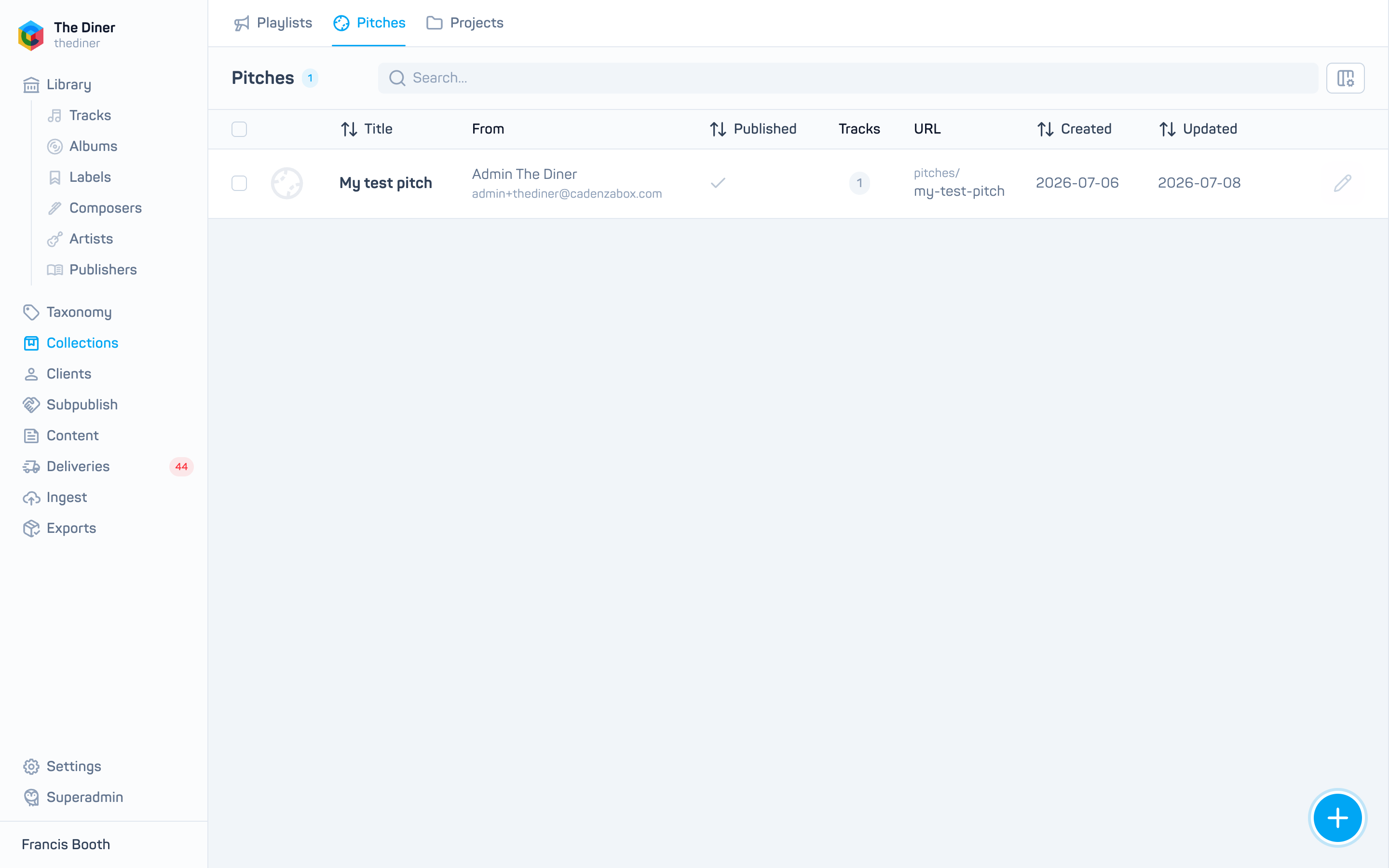
The list shows artwork, Title, From (the owner), Published, Tracks, URL, Created and Updated. Expiry, status and company are visible inside the pitch.
Create a pitch
- Click New pitch.
- Enter a Title, choose the Owner and set an Expiry date. All three are required.
- Optionally add a Description, a Notify email, a Status (New, Pitched, Viewed, Closed) and the Company it is for.
- Add tracks under Tracks: search, click to add, drag to order, Add chapter for headings.
- Click Create, then reopen the pitch to add a Packshot or Hero image and to create share links.
Share a pitch
Anyone with an account on your site who can see the tracks can open the pitch at its URL. To send it to someone outside, create a share link:
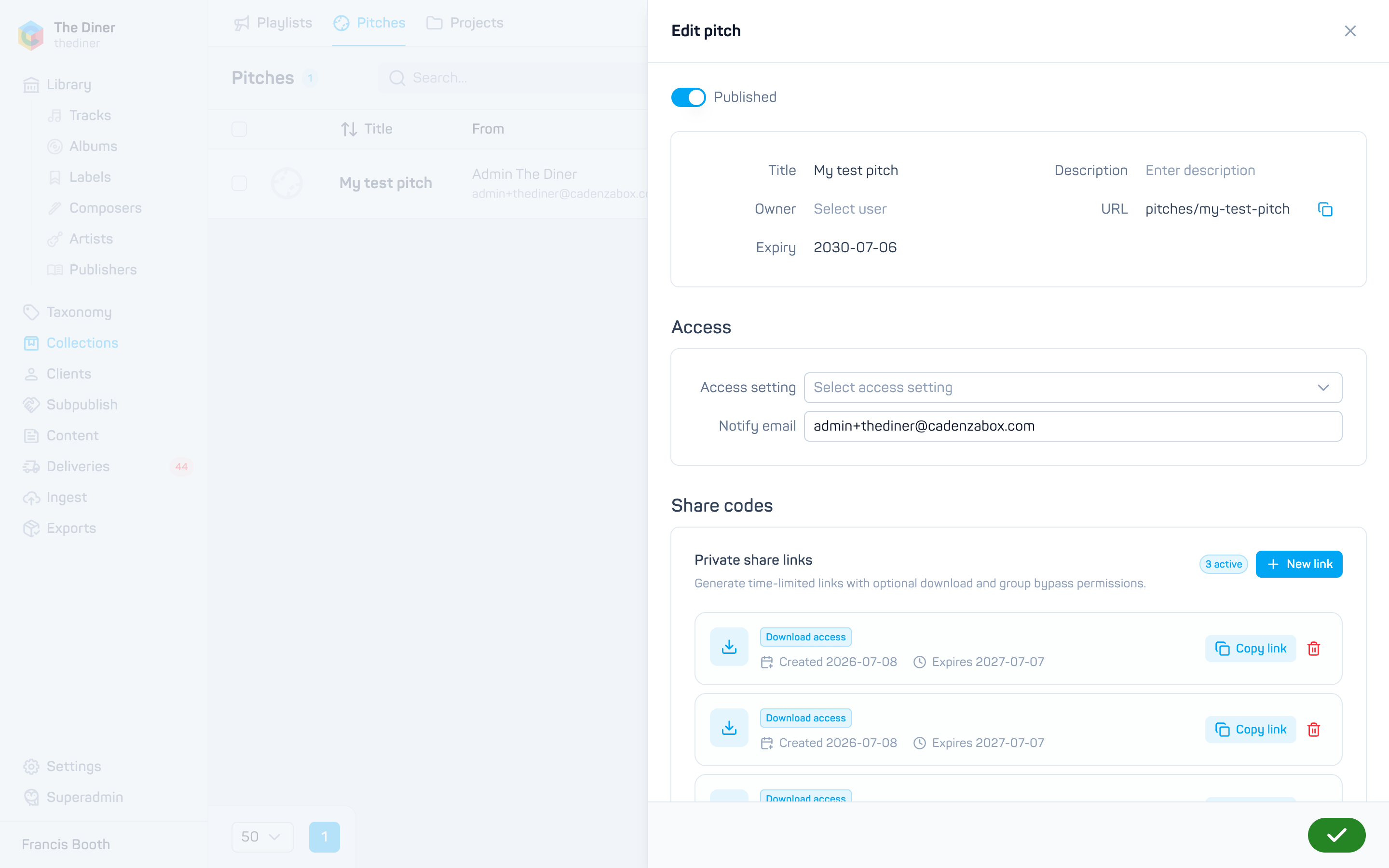
- Open the pitch and find Share codes. Click New link.
- Choose Grant download access if the recipient may download the tracks, and Ignore group restrictions if they should see every track regardless of their catalogue access.
- Keep the Expiry date (one year by default) or switch it off for a link that never expires.
- Click Create link, then Copy link on the new entry.
Each link shows what it grants (View only, Download access, Ignore groups (no download) or Ignore groups + download), when it was created and when it expires. Delete a link to revoke it immediately.
Share links bypass your access rules
A link with Ignore group restrictions shows tracks the recipient could not otherwise see. Set an expiry and delete links when a pitch is over.
Renaming changes the address
Share links include the pitch’s URL, which is rebuilt from the title. Renaming a pitch breaks links already sent.
Track progress
Update the Status as the pitch moves along and use Closed when it is over. Pitches cannot be deleted from the admin; switch Published off or let the expiry pass to retire one.