
Notification settings
Settings → Notifications chooses which events you and your team are emailed about, where the emails go and how often. These are messages to you; the emails your clients receive are configured separately by Cadenzabox.
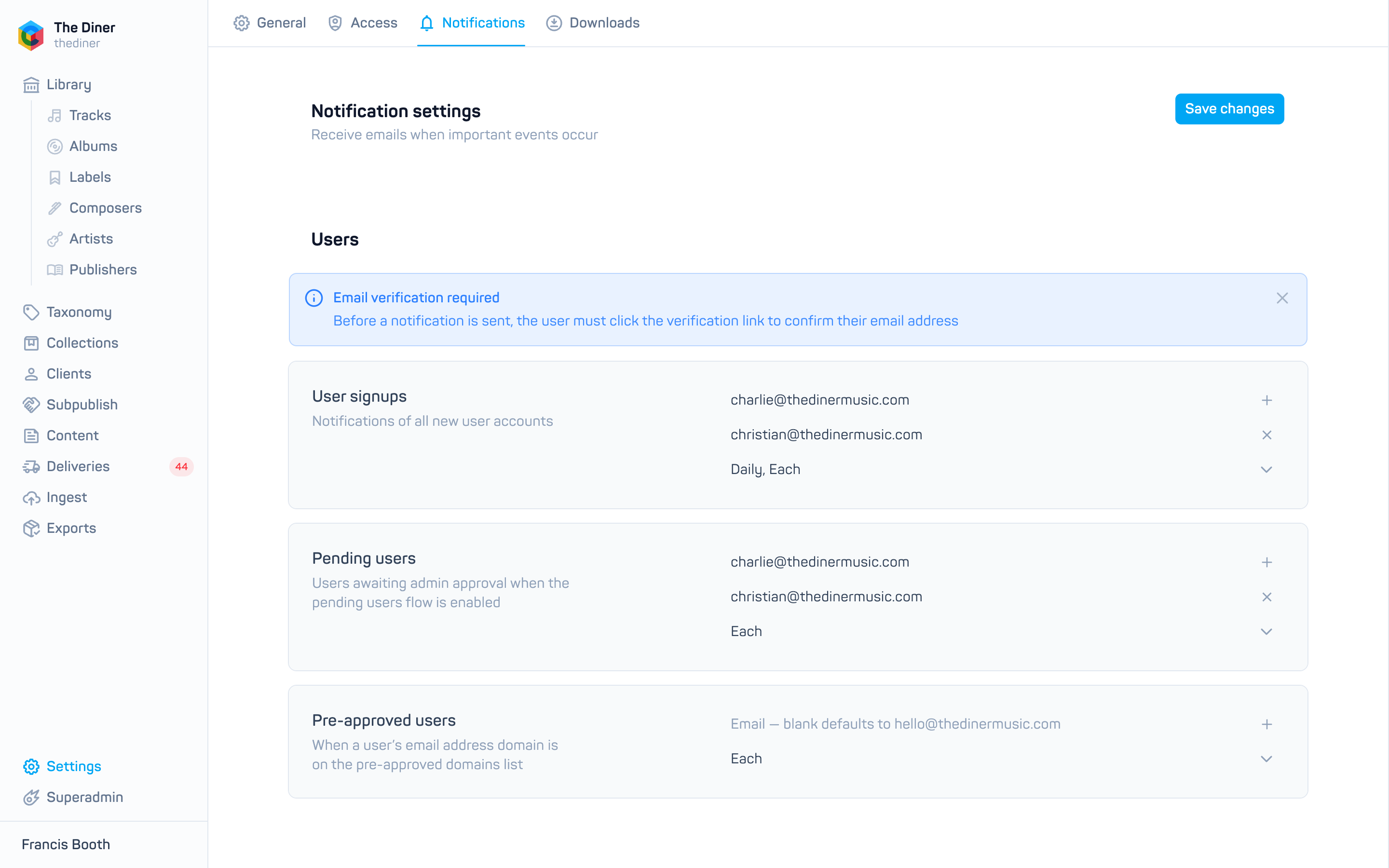
Set up a notification
For each event:
- Enter one or more email addresses. Leave the field blank to use your System email from General settings. Click + to add another address.
- Choose a Schedule. Leaving it empty switches the notification off.
- Click Save changes at the top right.
| Schedule | Sends |
|---|---|
| Each | As every event occurs |
| Hourly | A summary every hour |
| Daily | Every morning |
| Weekdays | Every weekday morning |
| Weekly | Every Monday morning |
| Monthly | On the first of the month |
You can pick more than one, for example Each and Weekly.
The events
Users
- User signups: every new account.
- Pending users: users awaiting approval when the pending users flow is on. Users must verify their email before this fires.
- Pre-approved users: signups from a preapproved domain.
Downloads
- Downloads: any audio download.
- Pre-approved domain: downloads by users whose email is at a preapproved domain.
Contact
- Contact form: enquiries from your site’s contact form. Always sent as they occur.
Licensing and subscriptions
- Licence request form: custom licensing requests.
- Licence transactions: purchases of individual licences. See Transactions and licences.
Subpublishing
- New albums received: an original publisher has sent you releases. See Incoming releases.
- Albums accepted: an agent has accepted releases you sent. See Outgoing releases.