
Deliveries overview
Deliveries send your tracks’ metadata and audio to third party services: AI tagging and similarity providers such as AIMS, and music recognition services such as Soundmouse. The Deliveries section of the sidebar shows one page per provider your organisation has enabled, with a badge when deliveries have failed (red) or are incomplete (amber).
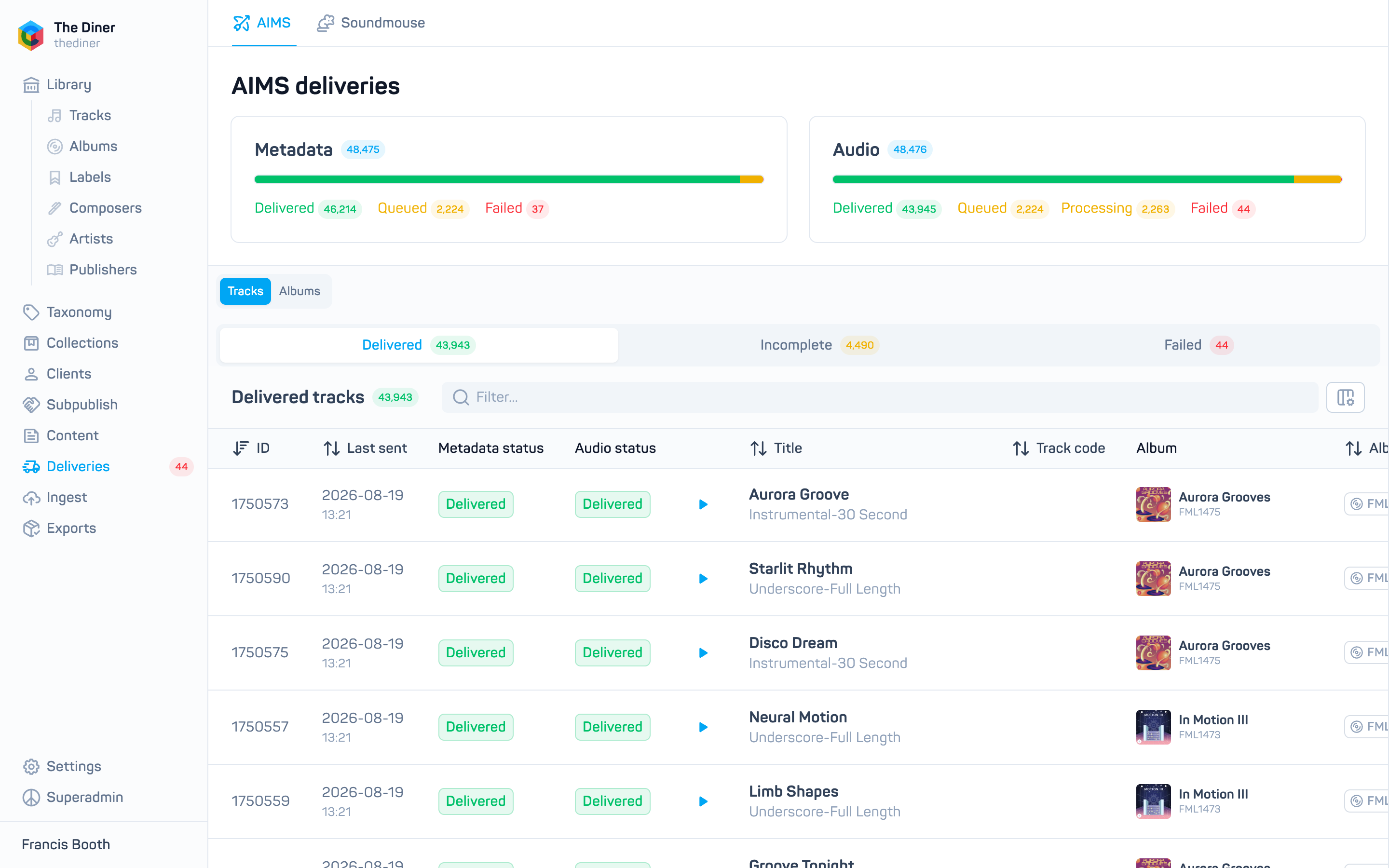
Deliveries are triggered by Cadenzabox when a provider is set up and kept in sync as your catalogue changes. The pages in the admin let you monitor them.
A provider page
Two cards, Metadata and Audio, show how many tracks are Delivered, Queued, Processing and Failed for that provider.
Below, switch between two views:
- Tracks with tabs Delivered, Incomplete and Failed. Each row shows when it was last sent, the Metadata status and Audio status, a play button, title, codes, album, number, version, Source (original publisher or subpublished) and label. Click a title to open the track in Tracks.
- Albums with tabs Delivered, Partially Failed, Failed and Undelivered, and a search box. Click an album for a panel listing each track’s metadata and audio state, with View in library.
A track counts as delivered when both its metadata and audio have arrived; a single failure marks it failed; anything else is incomplete.
When something fails
Failures are usually a missing or unreadable audio file. Fix the asset under Ingest → Assets and Mercury retries on the next sync. If a track stays failed, send its code to [email protected].