
Download settings
Settings → Downloads controls the formats, quality options and filenames your users can choose when they download, plus what goes into each download package. Click Save changes at the top right when you are done.
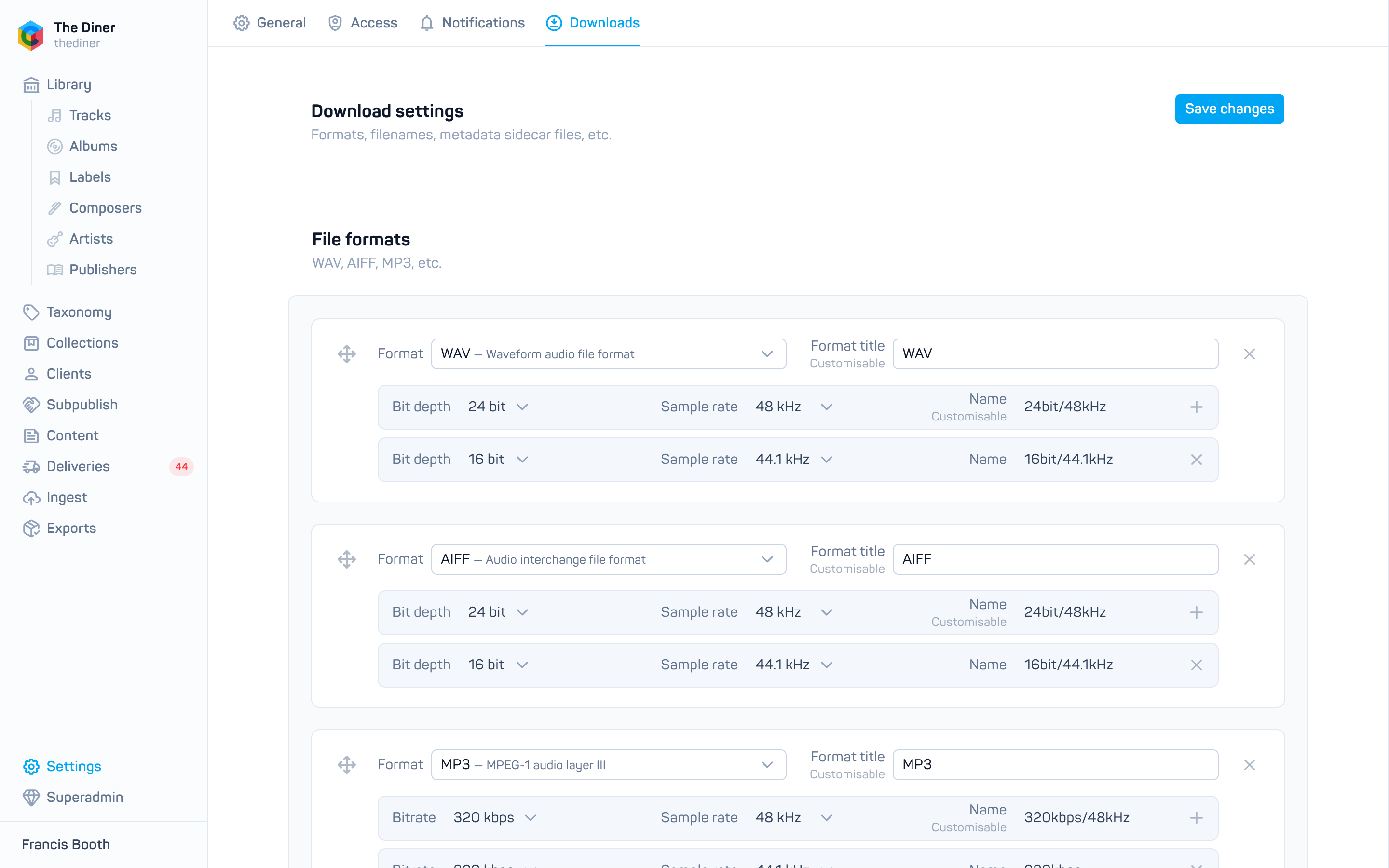
File formats
Each card is a format your users can pick: WAV, AIFF, MP3, FLAC, OGG, AAC, M4A, ALAC or Original (the file as uploaded). Give it a Format title if you want something other than the default name.
Under each format add one or more quality rows: Bit depth (16 or 24 bit) and Sample rate (44.1 to 192 kHz) for lossless formats, or Bitrate (128 to 320 kbps) and sample rate for compressed ones. The Name is generated for you, for example 24bit/48kHz, and can be edited. Drag cards to reorder them; the cross removes a format.
New organisations start with WAV and AIFF at 24/48 and 16/44.1, and MP3 at 320 kbps.
Changing a format changes its rates
Switching a card from a lossless format to MP3 turns its bit depth rows into bitrate rows. Check them afterwards.
Filename patterns
Users choose one of these when they download. Each preset has a Display name, a pattern built from tokens, and a Filename example generated from the pattern.
- Add filename preset offers ready made patterns such as Title + ISRC or Release + track number.
- Generate custom filenames shows the full token table. Click a token to insert it into the pattern you last clicked in:
{title},{versionTitle},{releaseCode},{trackNumber},{isrc},{composers},{rate}and more.
Very long composer lists are truncated automatically so filenames stay valid.
Contents
- Chapter folders: put each chapter of an album or playlist in its own folder.
- Number collections: prefix filenames with
01-,02-and so on in collection order. - CSV cuesheet: include a metadata sidecar CSV with every download.
- Contact info: text embedded in each audio file’s metadata.
Untrusted user access
Allow unauthenticated downloads lets visitors download without signing in. Leave it off unless your catalogue is meant to be freely downloadable.
Export delivery
Paste a long lived Dropbox access token to let exports be delivered to Dropbox. A Configured badge shows once a token is stored; the token itself is never shown again, and entering a new one replaces it.
Related
- Export audio and metadata
- Download audio from the admin
- Groups and access types for who may download