
Access settings
Settings → Access decides who can see your catalogue before and after signing in, how new signups are handled, and which groups people get by default. Click Save changes at the top right when you are done.
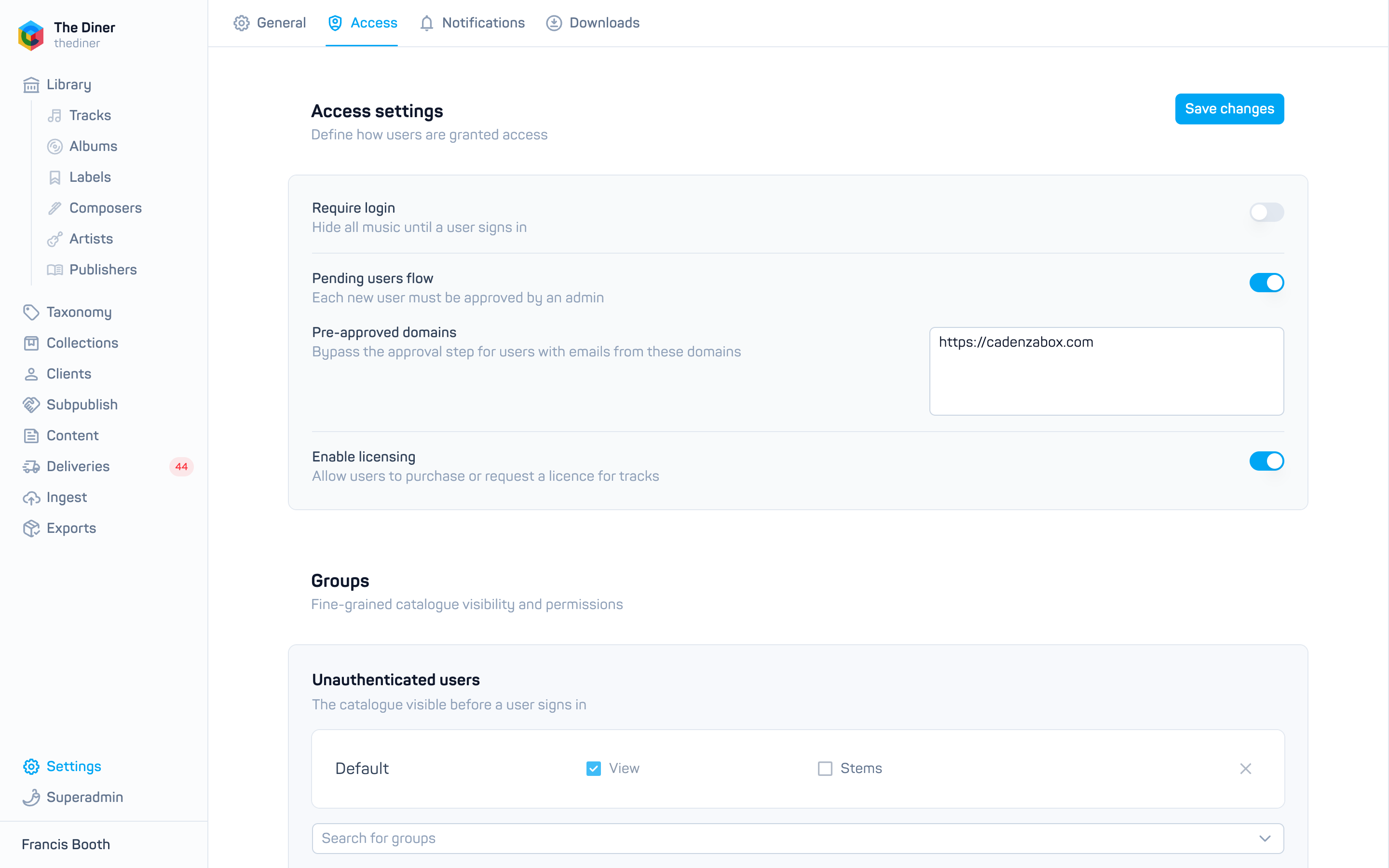
Access settings
| Switch | What it does |
|---|---|
| Require login | Hides all music until a user signs in. Switch off to let visitors browse without an account. |
| Pending users flow | Each new signup must be approved by an admin before they can sign in. They appear under Clients → Pending. Switch off to approve everyone automatically. |
| Pre-approved domains | Shown when the pending users flow is on. Email domains, one per line, whose signups skip approval, for example bbc.co.uk. |
| Enable licensing | Lets users purchase or request a licence for tracks through your site. See Products and subscriptions. |
Groups
This section decides the default groups and access types people receive. Use Search for groups to add a group, tick the access types it should grant, and remove a row with the cross.
- Unauthenticated users: the catalogue visible before a user signs in. Only View and Stems can be granted here. Ignored while Require login is on.
- Authenticated users: the default access for every signed in user. Individual users can have more added, or these defaults switched off entirely, on their own record; see Users.
Domain access
Grant access by email domain: anyone whose address is at a listed domain gets the group and access types you choose, on top of the defaults. Add a group, tick the access types, then add one or more Domains. Pasting a comma or newline separated list splits it into rows. Each entry needs at least one valid domain.
This is the usual way to give a client company’s whole team access to a private part of your catalogue.